What you end up with
- A "Customer Intelligence Hub" Project with standing instructions for analyzing customer feedback.
- Two reusable prompts — a first-pass theme analysis, and a follow-up that ranks the top improvement opportunities.
- A reusable formatting Skill so every report comes out in the same house style.
- One final prompt that turns all of it into a polished Customer Intelligence Report Artifact.
What you need
- Claude free plan a Project, not just a regular chat
- Customer feedback text or a file - already provided —
Steps
-
Create a Project and set its instructions
Create a new Project called "Customer Intelligence Hub." These are the standing rules that apply to every analysis run inside it.
This Project is used to understand our customers.

When analyzing customer information:
- Focus on customer needs, problems, and behaviors.
- Look for recurring patterns.
- Base conclusions on the information provided.
- Clearly distinguish facts from assumptions.
- Do not invent information.
-
Add your customer feedback to the Project
Drop in survey responses, reviews, or support tickets — as a file or pasted text. The prompts below read straight from whatever's in the Project.
-
Run the first prompt — theme analysis
Surfaces what customers value, where they hit friction, and what they want improved, with evidence behind every theme.
Analyze customer feedback to uncover the clearest themes, strongest signals, and most
actionable insights.

Please highlight:
- What customers value most
- Where customers experience friction, confusion, or frustration
- What customers want improved
- Any recurring patterns or notable differences across responses

For each theme, include:
- A concise summary
- Supporting evidence or representative feedback
- The number or frequency of mentions, when available
- The potential impact on the customer experience

Keep the analysis evidence-based. Clearly distinguish direct customer feedback from
interpretation, and do not infer conclusions that are not supported by the responses.
-
Run the follow-up prompt — rank the top opportunities
Turns the theme analysis into a prioritized, scannable list of what to fix first.
Rank the top five product improvement opportunities from the customer feedback.

Use a scannable table with:
| Rank | Opportunity | Evidence | Customer Impact | Recommended Improvement | Priority |

For each, include supporting feedback, response counts when available, confirmed findings
versus assumptions, and a High/Medium/Low priority. Do not invent evidence.

Add a brief Key Takeaways section covering:
- Most urgent need
- Strongest evidence
- One question for further investigation

Rank by evidence strength, frequency, customer impact, and feasibility.
-
Create a Skill for consistent report formatting
Name it company-reporting-format, with this description: "Apply our standard report formatting — fonts, heading hierarchy, table usage, and terminology — whenever creating or updating reports, summaries, or documents meant for internal or client use." Then paste this into the Skill contents:
## Overview
Ensures every report Claude produces follows our house style, without re-explaining
formatting rules each time.

## Typography
- Font: Arial
- Heading hierarchy: H1 for report title, H2 for major sections, H3 for subsections
- color : #185DF1

## Tables
- Use tables whenever comparing more than two items or presenting structured data
  (e.g., customer types, metrics, timelines)

## Terminology
- Use "customer" (not "client" or "user")
- Use "customer type" (not "persona" or "segment")

## Structure
1. Summary table (key findings at a glance)
2. Detailed findings by section
3. Supporting evidence
4. Recommendations (if requested)
Download the resulting
SKILL.mdfile and add it to the Project's files — then it's available to every task run inside this Project, not just one chat.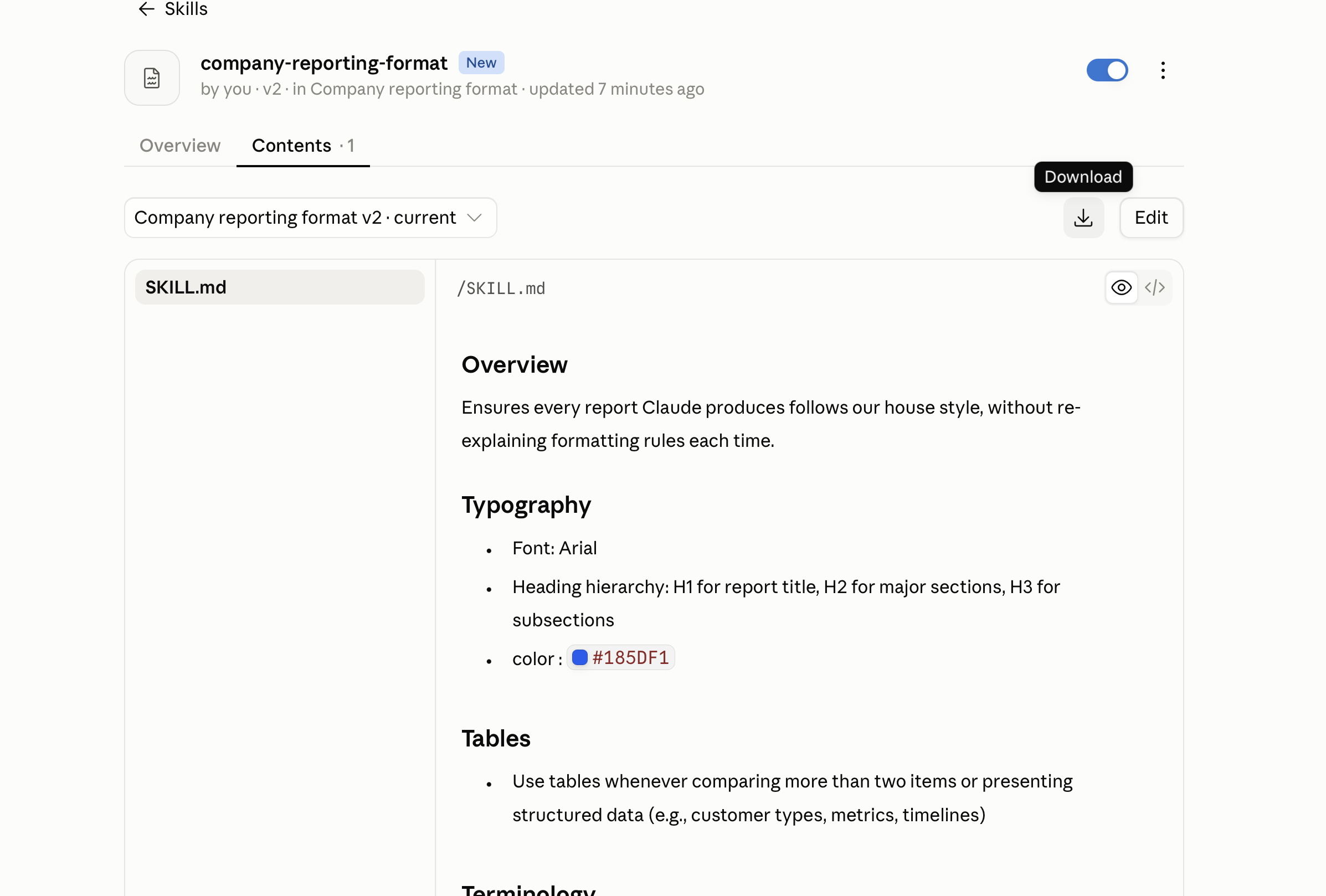
The company-reporting-format Skill, with SKILL.md open in the Contents tab. 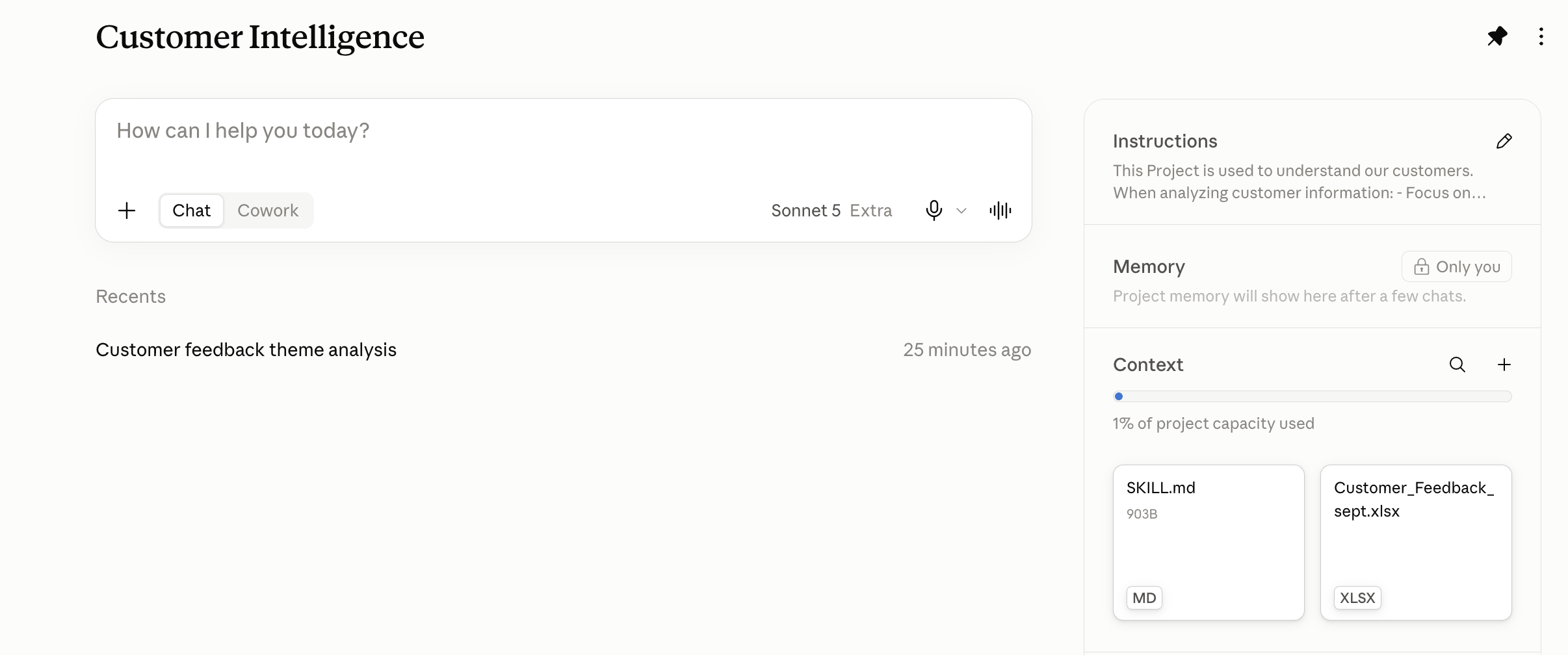
SKILL.md added to the Project's files alongside the customer feedback file. -
Final prompt — generate the report Artifact
Pulls everything together into one polished report, applying the Skill's formatting rules throughout.
Create a Customer Intelligence Report from this analysis.

Before creating the report, read the formatting rules from the SKILL.md file included in
this Project's files and apply them throughout the Artifact.

Include:
- Executive Summary
- What Customers Value
- Key Customer Problems
- Top 5 Product Improvement Opportunities
- Evidence from Customer Feedback
- Recommended Product Actions
- What We Should Test Next
- Open Questions

For the top five opportunities, use a scannable table with:
| Rank | Opportunity | Evidence | Customer Impact | Recommended Improvement | Priority |

For each opportunity, include supporting feedback and response counts when available.
Clearly distinguish confirmed findings from assumptions, and do not invent evidence.

For the top three opportunities, suggest one simple, low-effort experiment we could run
at our next event to learn what customers actually want. Keep the experiments focused
on learning rather than implementation.

Use the formatting rules from the SKILL.md file as the source of truth. Do not
substitute generic formatting guidelines if the file contains different or more
specific instructions.

At the end, briefly confirm which SKILL.md formatting rules were applied.
These prompts and examples are just a starting point — try them, change them, and make them your own. There's no one right way to do this. We're learning and experimenting together!